Module 8 · Lesson 25
Customer support
A Bot that answers tickets from the knowledge base, refunds according to policy, flags what's urgent and asks before learning something new.
Contents3
- Give a support Bot more autonomy in stages: read, draft and reply
- Keep what customers can see apart from internal policies and the Bot's own process
- Measure what each ticket costs and log traces to know why the Bot answered the way it did
Tickets that repeat
On the first whiteboard of day 2, the Ship by Thursday team was already asking how they'd support players: an email, a phone number or reading the X chat directly. A game open to the public would bring sign-in questions, bugs and complaints. The support workshop that same day showed how to answer them with a Bot An AI teammate with a name, a job and its own conversation. It works on a computer in the cloud, even when you're away. See in the glossary → without losing control.
Most support tickets ask the same things: how to recover a password, how to get a refund or whether they can share their subscription. The answer is already written somewhere, in the public help or in an internal policy. Still, someone has to read the ticket, find it, check the customer's account and reply.
Letting an agent answer customers is scary, and rightly so. This lesson shows how to give that autonomy a little at a time, with clear rules about what the Bot can say, what it can do and when it must hand the ticket to you.
Crawl, walk, run
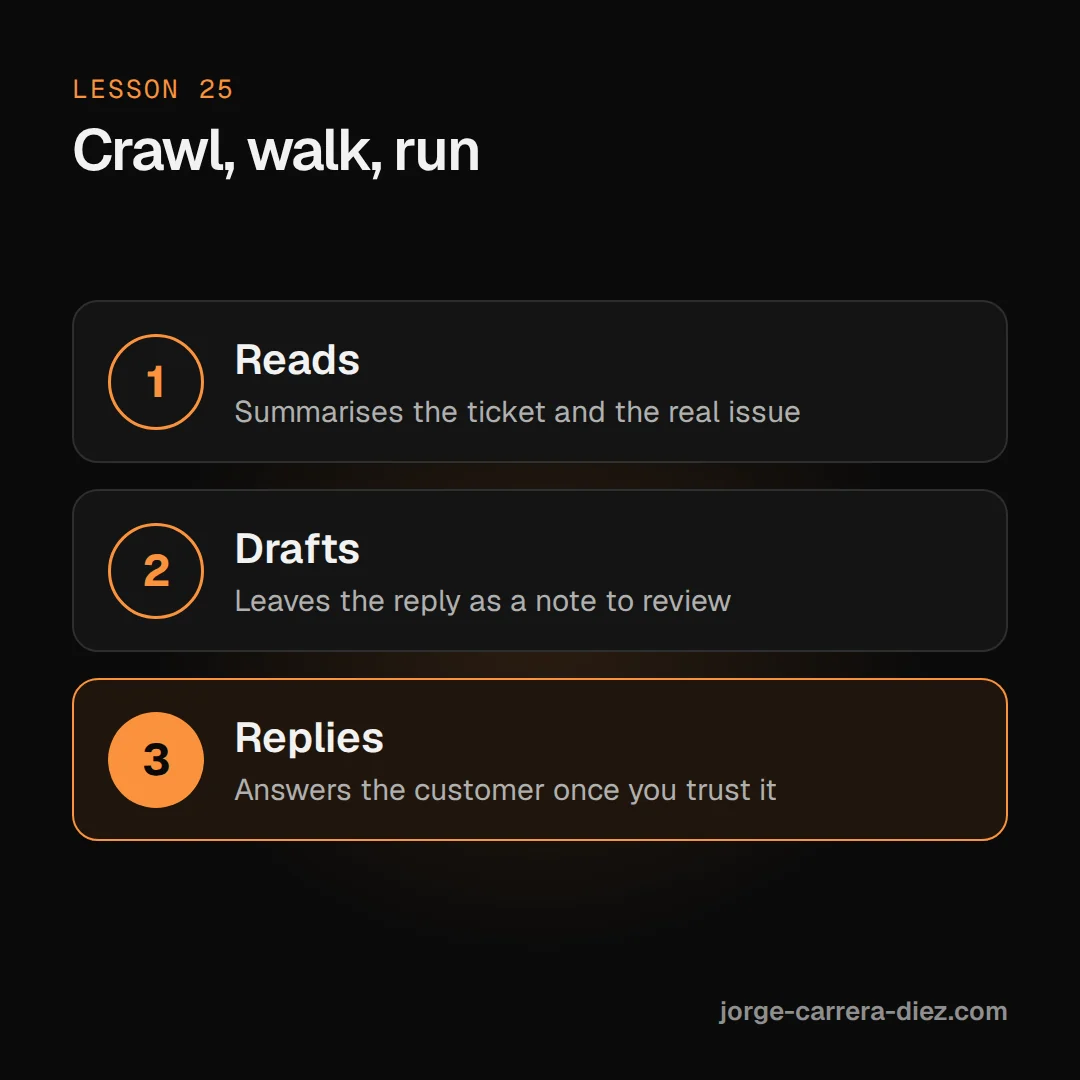
The workshop host summed it up this way. First, the Bot only reads tickets and tells you the underlying issue. Then it drafts the reply and leaves it as a note on the ticket for you to review. Only when you trust it does it reply to the customer directly. You can stay at the second stage for as long as you like.
Three layers of knowledge
The demo used Flylo, the made-up airline, with a single product: in-flight wifi for $20 a month. The knowledge base, in Notion, had three separate parts:
- Public docs. What a customer would find by searching Google: sign-in, billing and FAQ.
- Internal policies. What the team knows but doesn't publish. For example, that a refund is approved within the first 14 days and not after.
- The Bot's process. The loop it follows for every ticket: read, search the base, decide whether to reply or hand off to a person, act and leave a note.
Keeping them apart lets the Bot use a policy to decide without copying it into the reply.
A small team that grows when needed
The demo had four Bots. Build set up the infrastructure, Reply answered, Alert flagged urgent cases in Slack and Tune improved the knowledge base. The host insisted you shouldn't start like that. Start with one generically named Bot, teach it one workflow and split it when the work grows or you need two things at once.
Traces to see what happened
Every time Reply works, it writes a trace to a table in Postgres, a database. The trace stores how long it took, which documents it looked at and which it chose for the reply, even on a test run. Another table stores test cases (Evals Test cases run again after every change to check that a Bot still answers correctly. See in the glossary →) that run again after every change. When something goes wrong, the trace shows where, and the improvement Bot reads the traces to suggest changes.
Get a support Bot answering
- Connect the ticketing system, the place where the knowledge base lives and, if there are payments, the billing tool. In the demo these were Plain, Notion, Supabase, Slack and Stripe.
- Write the base in three parts: public, internal policies and the Bot's process.
- Start read-only. Ask the Bot to read ten tickets and tell you the underlying issue in each.
- Move to drafts as notes on the ticket, with the confidence level, the underlying issue and the source it used.
- Define when it doesn't reply. If the base doesn't cover the case, it hands off to a person. If the customer is important, it also posts in Slack.
- Log traces and create evals before letting it reply directly.
- Start with the 20% of cases that create 80% of tickets and expand from there.
Five tickets in the Flylo demo
Day 2 · 7:43:05The Bot answers a password ticket with its source
Forgotten password. Reply found the answer in the public docs, replied to the customer and left a note with high confidence, the underlying issue and a link to the page it used.
Sign-in with Okta. The base said nothing about enterprise single sign-on. Reply marked low confidence, handed the ticket to a person, and Alert posted in Slack because it looked like an enterprise customer locked out.
Day 2 · 7:49:51One refund granted, another denied
Two refunds. Carter had just subscribed, so Reply cancelled the subscription and refunded the payment in Stripe. Damon had been subscribed for about 20 days, outside the 14-day policy. Reply denied the refund without quoting the internal policy and offered to cancel at the end of the period so he wouldn't be charged another month.
Sharing the wifi. It wasn't in the base. Reply didn't make up an answer and suggested Tune add the case to the FAQ. Tune asked for permission before touching the base, got it with the correct rule, and Reply answered using the new section as its source.
An internal question. Someone on the team asked in Slack what the refund process is. The same Bot answered with the internal policy, which it would never have given a customer.
Risks of handing support to a Bot
- Replying without a knowledge base. The Bot invents a policy with good intentions. Fix: have it hand off to a person when it can't find a source.
- Mixing internal policies with public help. The customer gets details they shouldn't see. Fix: keep them apart, and state in the Bot's process that internal ones are only for deciding.
- Letting the Bot change the knowledge base on its own. One bad answer repeats across a hundred tickets. Fix: have it ask first, or propose the change as a Pull request A proposed change to the code, packaged so someone can review it before it's accepted. See in the glossary → if the base lives in GitHub.
- Vague messages. "Reply to Alex" makes the Bot search every ticket and costs more. Fix: give it the ticket or customer ID.
- Sharing the template with the whole team without limits. Someone without technical context asks it to "refund everyone who asked". Fix: share a template that can't edit the base or run billing actions without approval.
From a couple of dollars to twenty cents
Day 2 · 8:00:40From $1-2 to 20 cents per ticket
The host worked out that a medium ticket cost between $1 and $2 of usage. For simple ones, like a refund request or a question about an email, he batched the tickets with a script and answered them all at once. That brought it down to about 20 cents a ticket after half a day of tuning.
Support with Bots, without surprises
- Raise autonomy in stages: read, draft as a note and, finally, reply.
- Keep public help, internal policies and the Bot's process apart.
- With no source, the Bot hands the ticket to a person and flags what's urgent.
- Log traces and evals to know why it answered that way and to improve without breaking things.
- Batch simple tickets and give specific IDs to spend less.